AI Content Built to Index in Google and Get Cited by AI Search
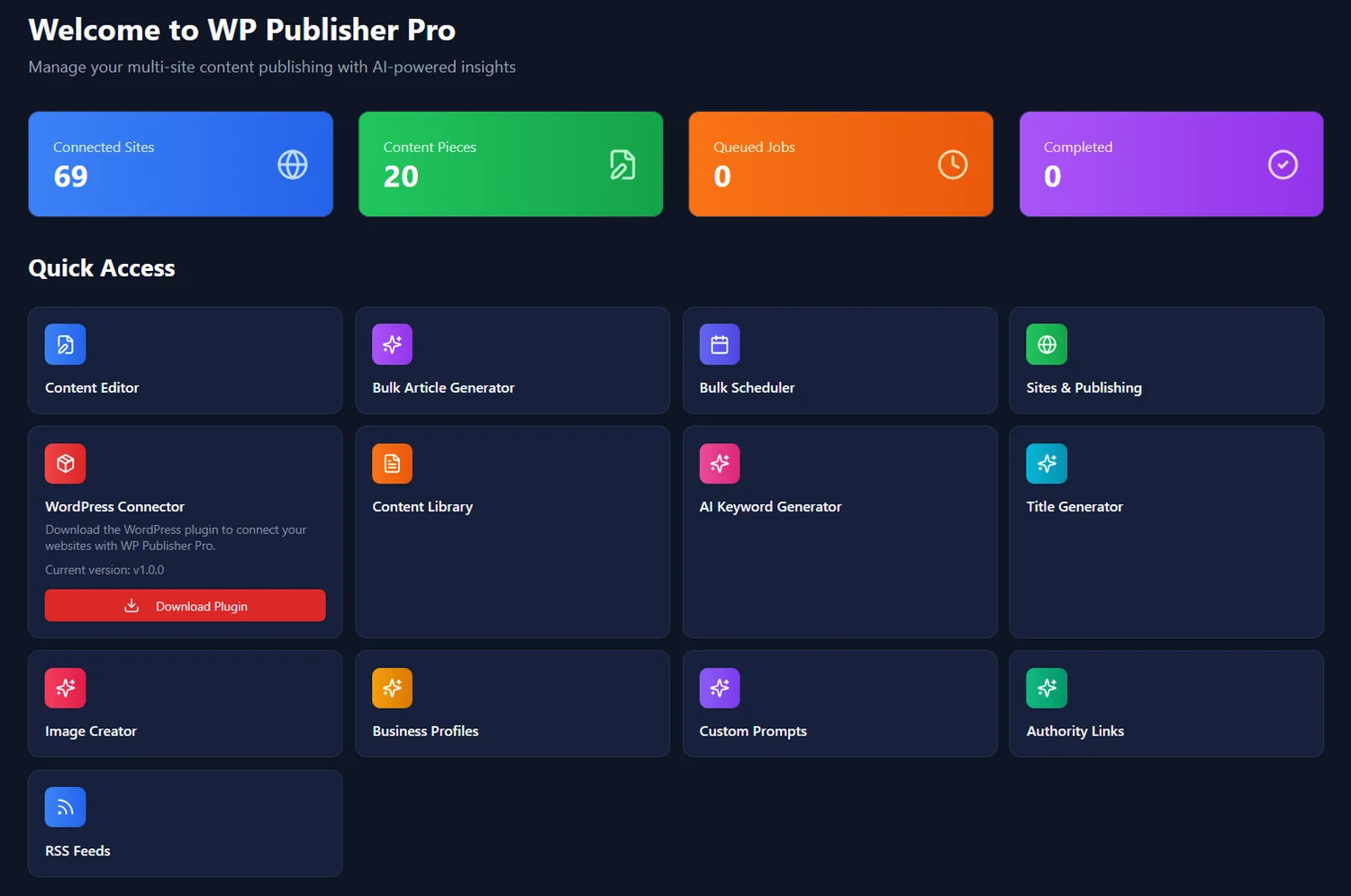
WP Publisher Pro writes SEO articles with prompts from 20+ years of SEO practice, then schedules and publishes them to all your WordPress sites. One app, from keyword to live post.
Works with your keys for
- OpenAI
- Claude
- OpenRouter
- DeepSeek
- Perplexity
- Fal.ai Flux
- Ideogram
- Stability
Why Most AI Articles Never Rank
A chat window gives you text. It does not give you search intent, entities, internal links, a publishing plan or a way to run ten sites at once.
Generic prompts, generic text
Standard prompts know nothing about search intent, entities or topical structure. Google recognises the result as bulk content.
Hours of manual work per post
Keywords, titles, rewriting, images, SEO fields, uploading, scheduling. Doable for one site, impossible for a network.
Logging in to every site
Every WordPress install has its own login, categories and calendar. Nothing gives you one overview of what went live where.
From Keyword to Live Post in Three Steps
Connect your WordPress sites
Add a site with an application password or the connector plugin. Categories sync automatically and the connection is checked for you.
Choose keywords and settings
Pick a prompt, tone, audience, word count and content elements. Generate articles, titles and AI images in one run.
Publish or schedule
Publish one article now, or plan hundreds across sites and categories with the Bulk Scheduler. The log shows what went live.
Every Tool You Need, Grouped by Job
Everything below is included in both plans.
Create content
Single articles, large batches and rewrites
Content Editor
Write and edit one article with SEO fields, featured image and folders, then publish to the sites and categories you select.
Bulk Article Generator
Generate 100+ articles with the same settings and download them all. Built for SEOneo, Money Robot, GSA, RankerX and similar tools.
Content Fusion Generator
Load several sources into a project and turn them into one or more original articles, each with its own source mix and model.
Title Generator
Ten title styles without spintax, from exact keyword match and question titles to urgency and problem-solving.
RSS Feeds
Import items from RSS feeds, rewrite them with your prompt and language, add a featured image and publish to the site you choose.
Social Posts Generator
Turn keywords, anchors and URLs into posts for Bluesky, X, Facebook, LinkedIn, Mastodon, Instagram, Discord, Pastebin and Raindrop, with export to Google Sheets.
Research
Keywords, sources and anchors
AI Keyword Generator
Short-tail and long-tail keywords per topic, audience, industry and language. Send the list straight to the Bulk Generator.
Authority Link Research
Find authoritative sources per keyword and country, then paste them as Global Links so they are added to your content.
Anchor Research
Phrase-family analysis of your money page, based on Google patent US7,536,408. Returns a copy-ready list of link building anchors.
Publish
All your WordPress sites from one place
Sites & Publishing
Connect sites by application password or connector plugin. Tag them, import a list of sites and use the troubleshooting panel when a host blocks you.
Bulk Scheduler
Plan content calendars for weeks, months or years. Spread articles over sites and categories, with links per keyword.
HTML Publisher
Upload .txt files with HTML and send them to WordPress as draft posts, with a featured image you upload, generate or link.
Category Sync
Categories of every site are synced, so each article lands in the right place without opening WordPress.
Publishing Log
See per project what is published, scheduled or queued, open the live article and spot errors immediately.
Global Links
Set internal, affiliate or authority links once and have them worked into every article, with exact match anchors if you want.
Images
Featured and in-article images
Image Creator
Generate images with Flux, DALL-E, Ideogram or Stable Diffusion. Several per run, custom filenames, download as ZIP.
Image Prompts
Reusable image prompt templates with placeholders, for featured images or subheading images, in the aspect ratio you set.
Automatic featured images
Articles from the Bulk Scheduler and RSS Feeds can get their featured image generated as part of the run.
Control
Prompts, profiles and your library
Business Profiles
Store name, address, phone, Google Maps embed and social links once. Load a profile into any article or bulk project.
My Prompts
Write your own content prompts with placeholders, next to the built-in specialist prompts, and mark favourites.
Custom Prompts
Apply a separate prompt to the introduction, conclusion, H2 or H3 sections, FAQ, key takeaways or pros and cons, with or without Global Links.
Content Library
All articles and bulk projects in folders with tags and search. Reuse them in the Editor or Scheduler, or download as HTML or ZIP.
Presets
Save a full set of generator settings and load it again for the next project.
Instructions
Short how-to videos and key takeaways inside the app, so you get productive on day one.
A Look at the Real Screens
No mockups. These are screenshots from the app. Click one to see it full size.
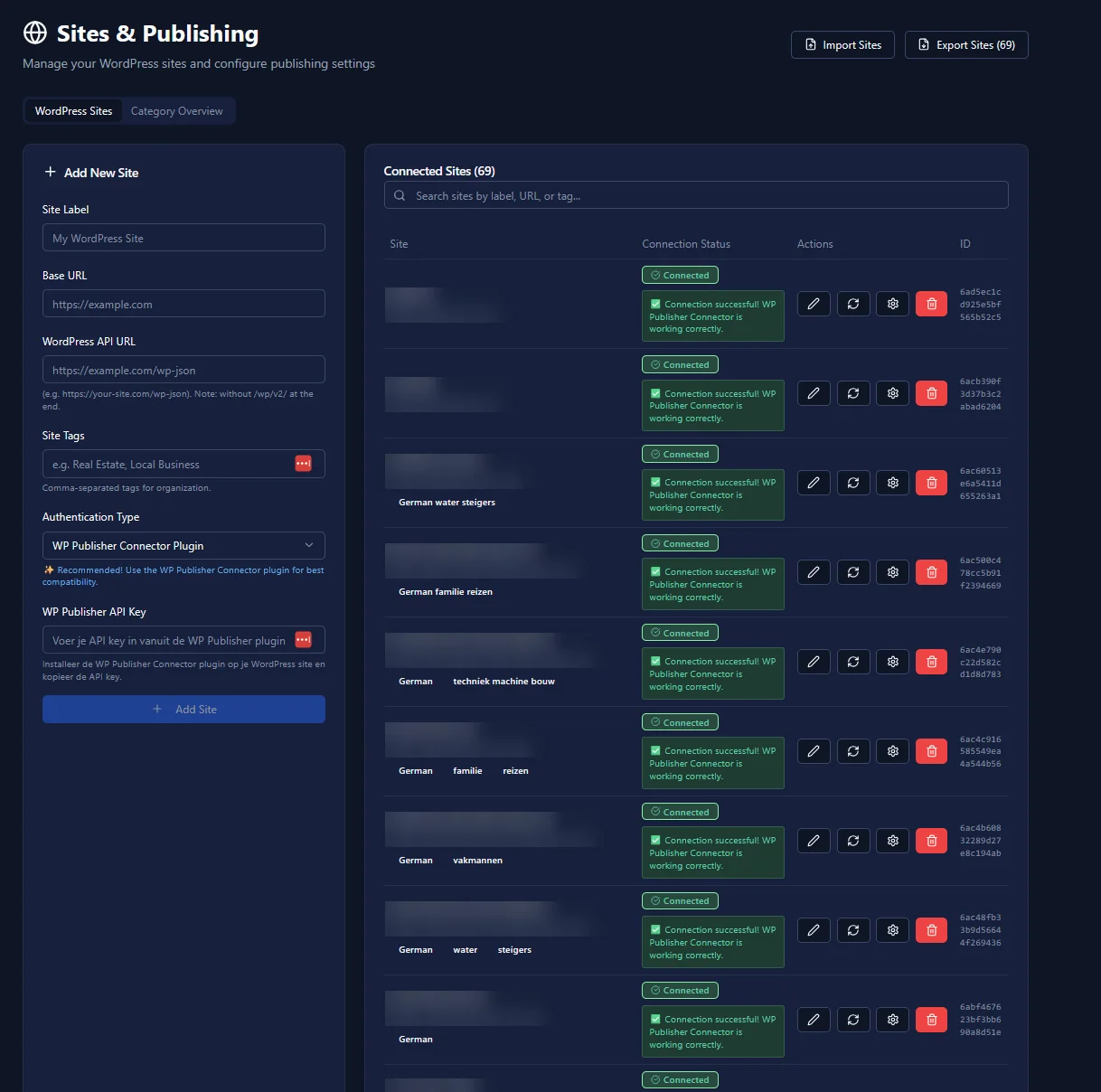 Sites & Publishing: every connected site with its status
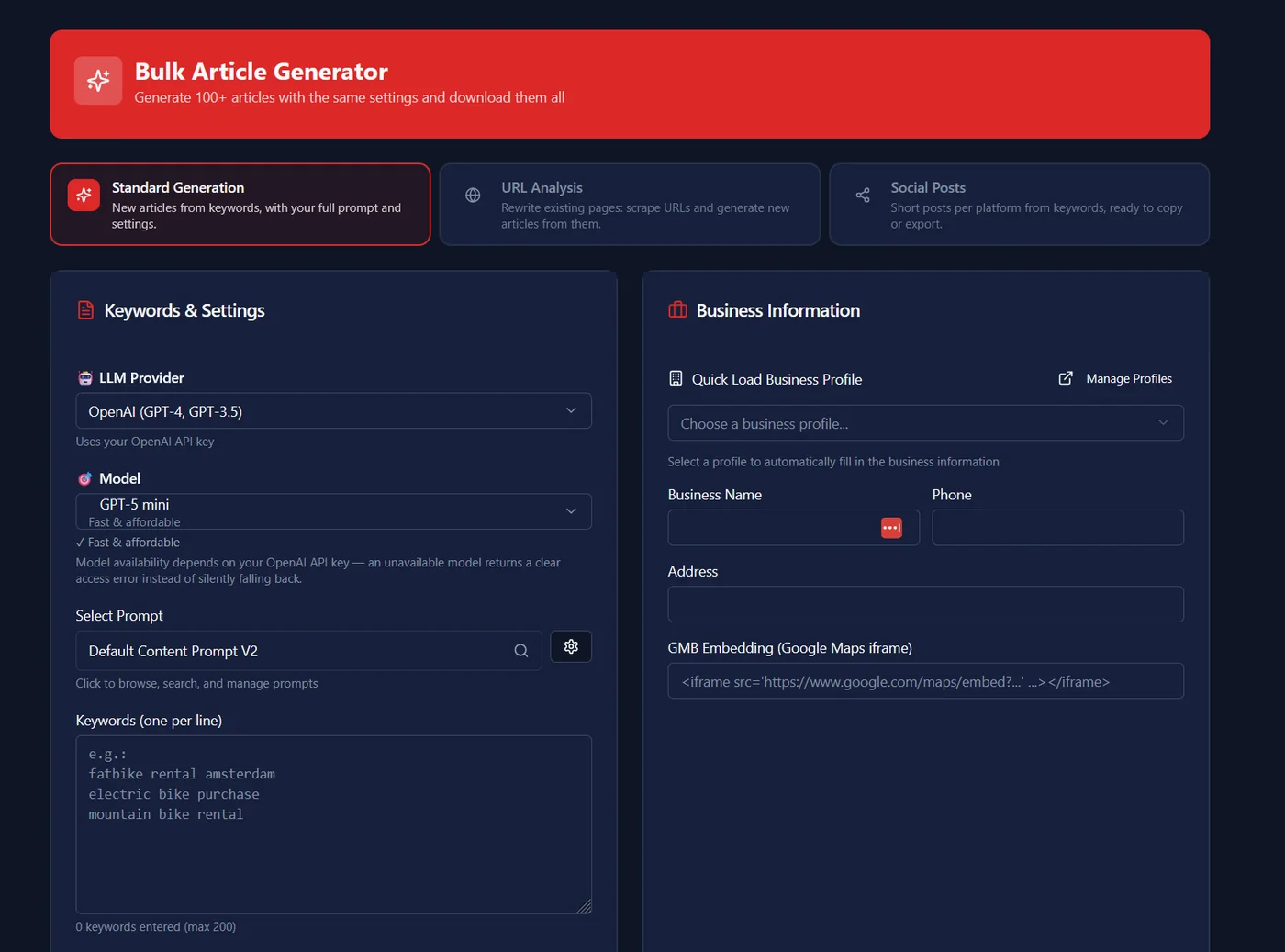 Bulk Article Generator: keywords, model and business info
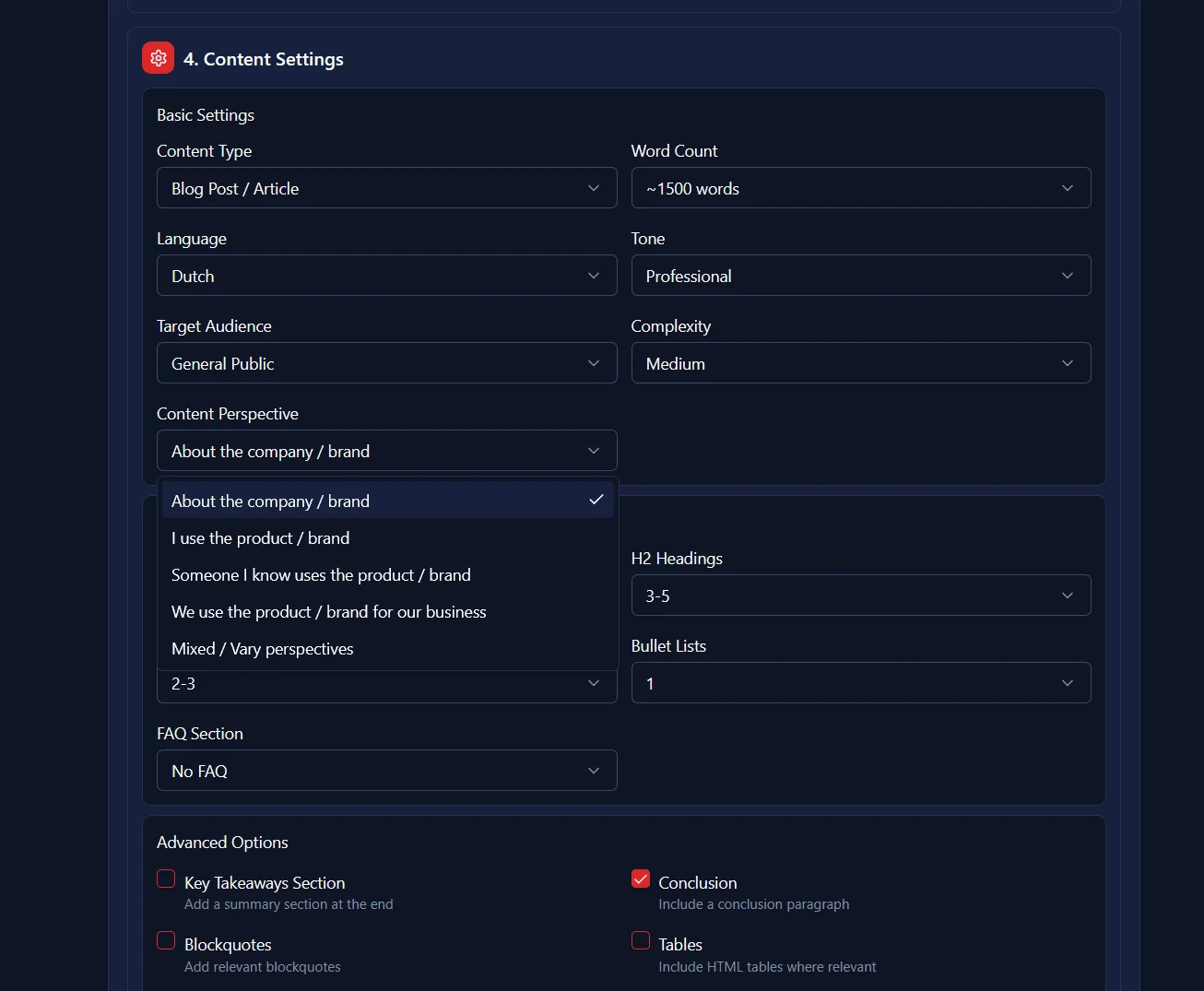 Content settings: type, tone, audience and perspective
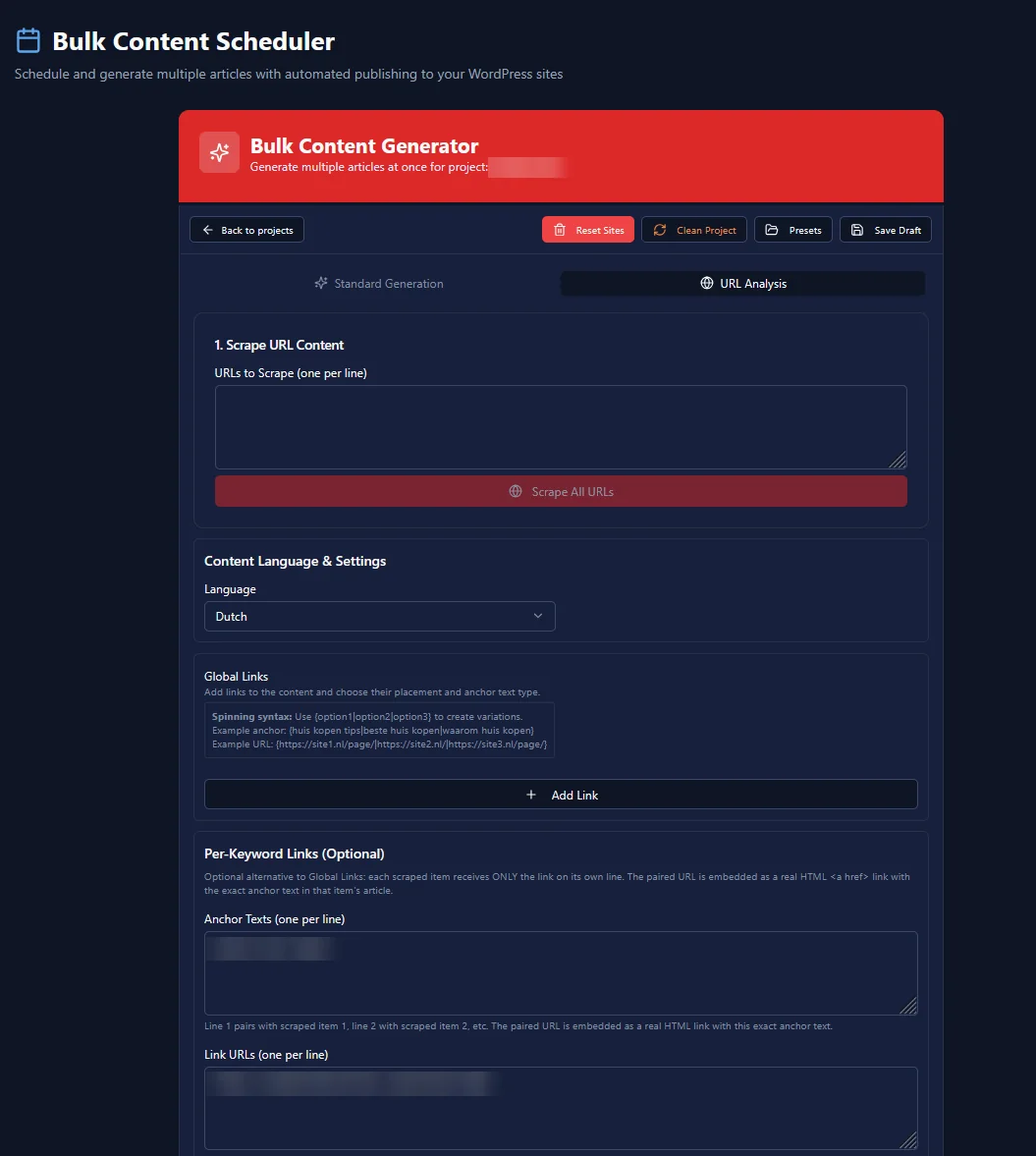 Bulk Scheduler: URL analysis with links per keyword
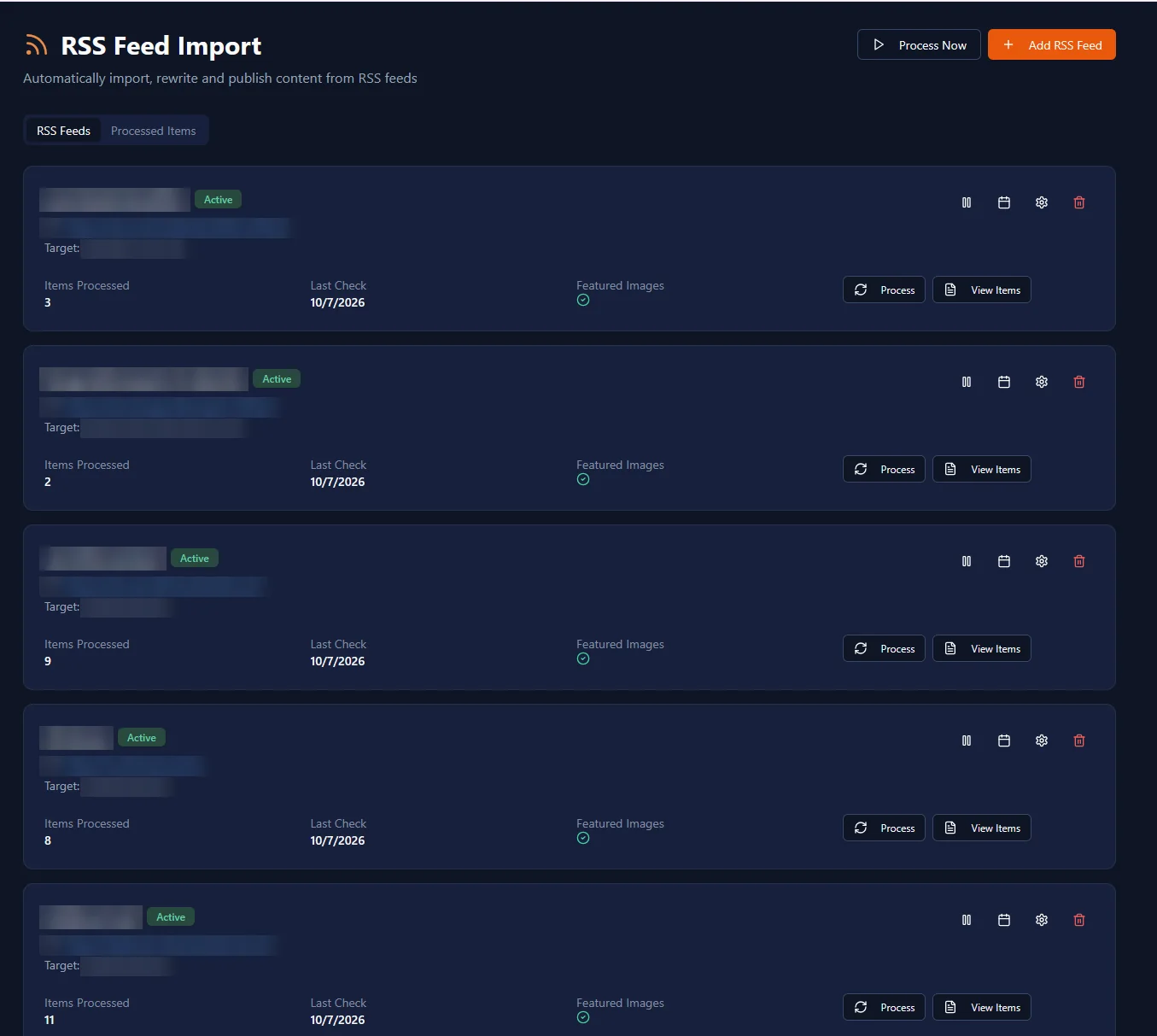 RSS Feeds: import, rewrite and publish per feed
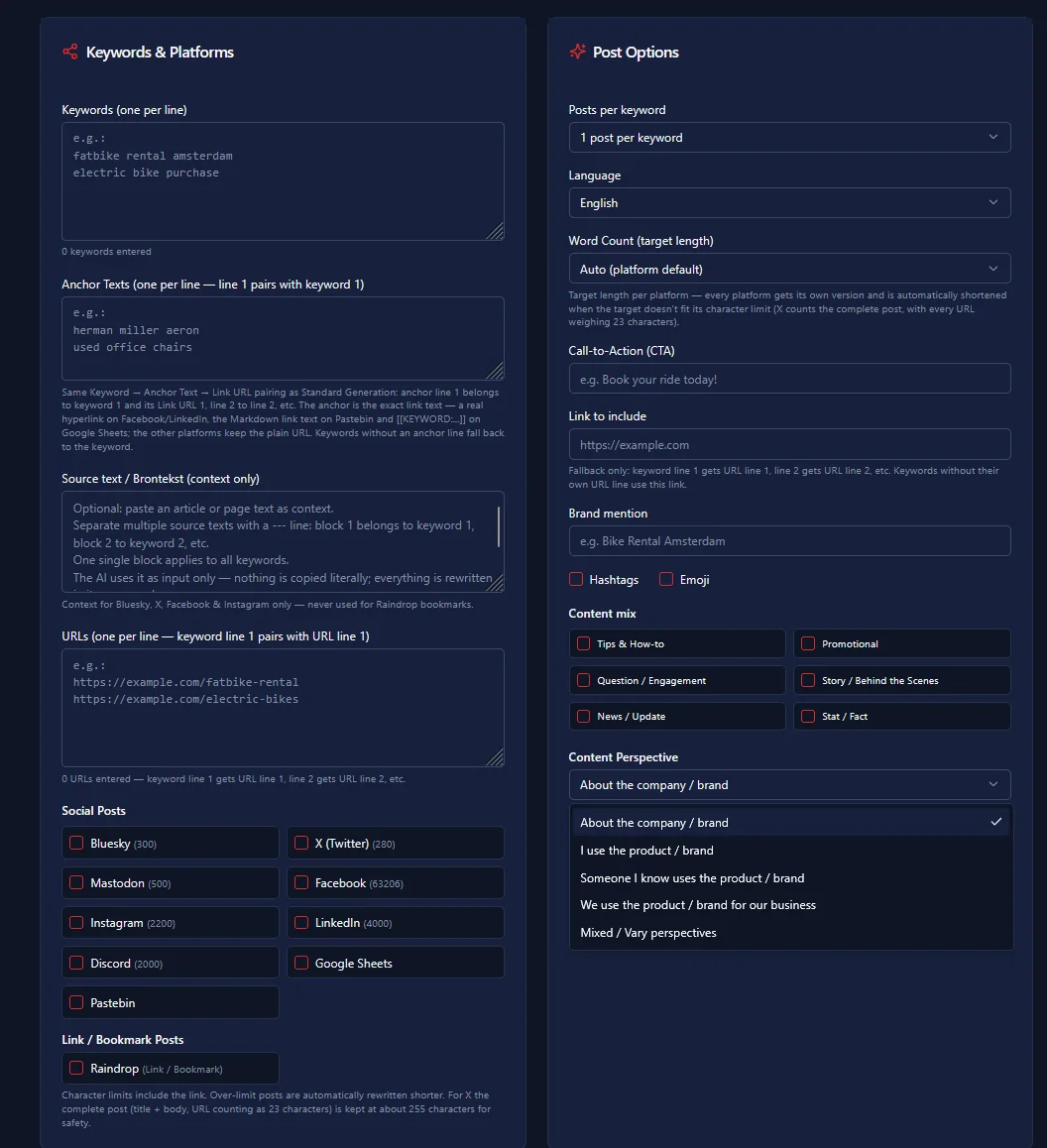 Social Posts: platforms, anchors and post options
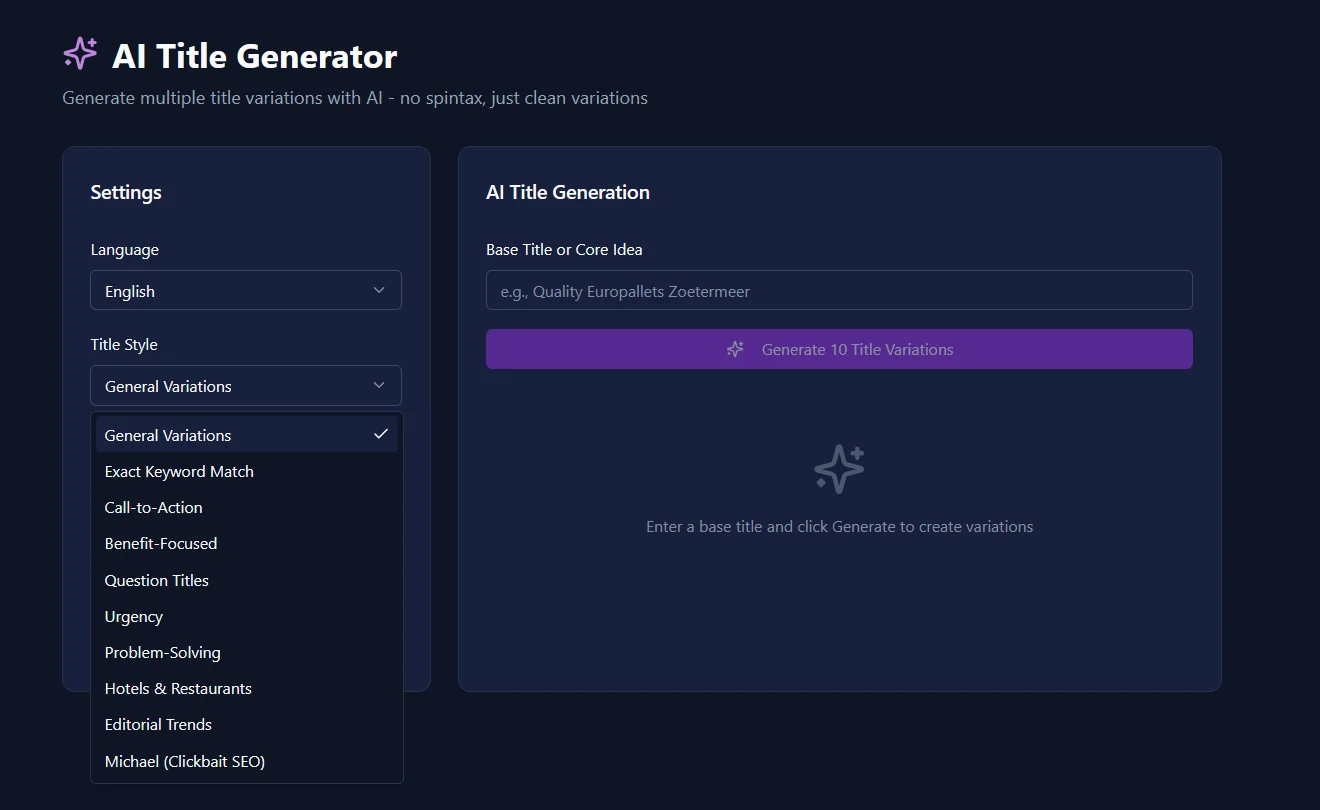 Title Generator: ten title styles
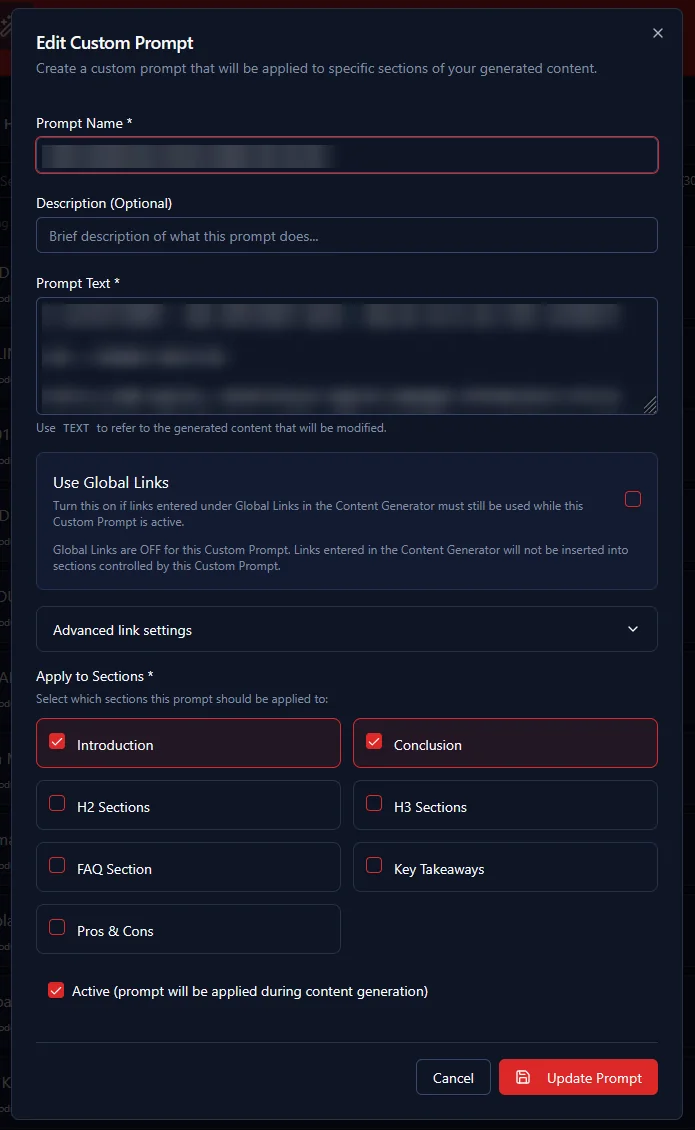 Custom Prompts: choose the sections a prompt applies to
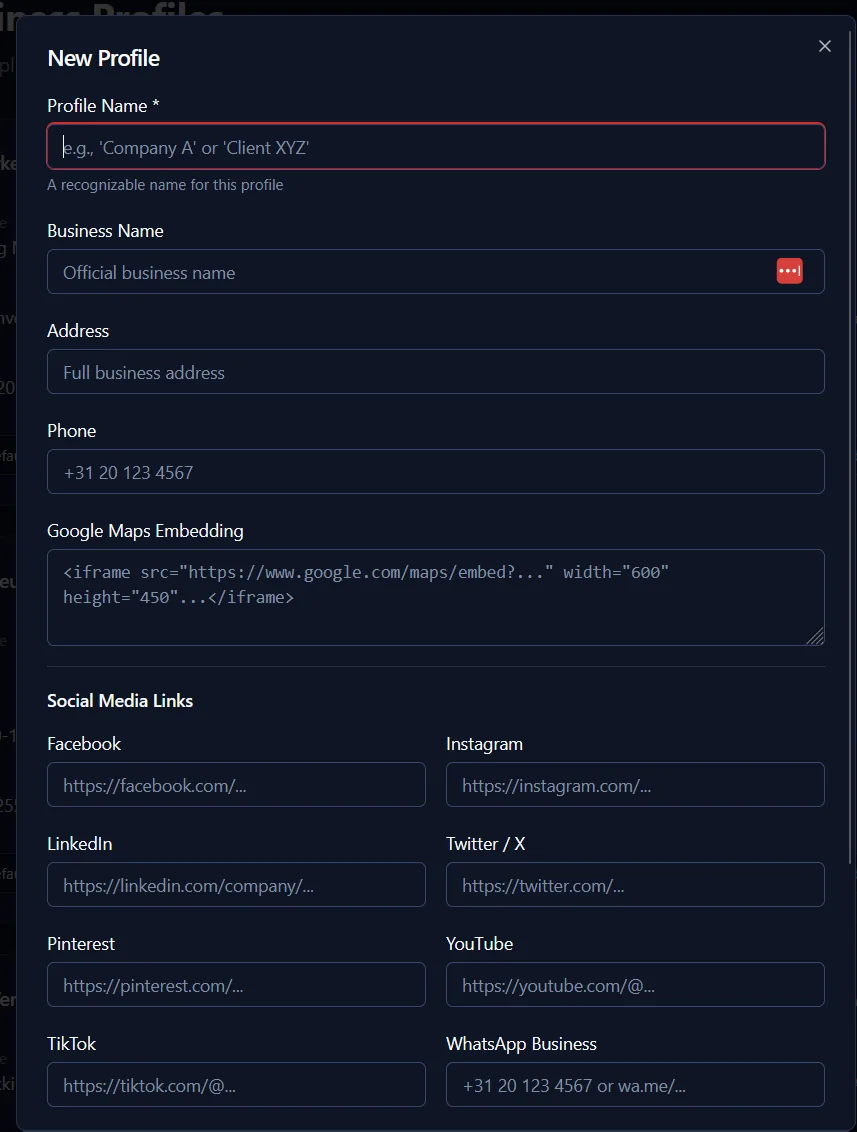 Business Profiles: name, address, phone, Maps embed and social links
See WP Publisher Pro in Action
From keywords to indexed articles
A look inside the app
The Bulk Scheduler
Built for People Who Publish a Lot
Content for sites and networks
Produce optimised articles for blogs, niche sites and link building campaigns. You set the strategy, the app does the heavy lifting.
Several WordPress sites, one calendar
Automate publishing across all your sites and keep your time for strategy, conversion and the business itself.
More clients, same team
Scale content production per client without hiring for it. Plan campaigns ahead and deliver on schedule.
What Users Say
I’ve been using WP Publisher Pro for a few weeks now, and honestly it has made my SEO work a lot less stressful. […] I no longer have to log in to every site separately — which, let’s be honest, nobody ever wants to do.

As a freelance SEO specialist working for multiple agencies, WP Publisher Pro has become a fixed part of my daily workflow. I use it for both link building and on-page SEO, and it saves me a huge amount of time.

[…] it’s honestly been a lifesaver for my SEO business. […] The bulk scheduler is amazing – I can create 20–30 articles at once and schedule them for weeks ahead.

Think of it like a Swiss Army knife for SEO content and publishing […] The speed is very good, and the article output quality surprised me in a good way. Another big plus is that you can plug in your own LLM API keys […]

It allows me to generate and publish optimized content across several sites without wasting hours logging into each WordPress. […] For anyone working in SEO or managing multiple websites, it’s a real boost in productivity.
This is a high quality piece of software that enables user to quickly build high volumes of content at scale. Thanks Errol!
Choose Your WP Publisher Pro Plan
Both plans include every tool. You only pay your own AI usage on top, with no markup from us.
Monthly
Everything you need to create, schedule and publish content faster.
- Start right away
- Full access to all 19 tools
- Updates included
- Cancel anytime
Yearly
For anyone who works with SEO and content all year. Saves €62 compared with paying monthly.
- Full access to all 19 tools
- Two months cheaper than monthly
- Updates and new features included
- Renews yearly, no surprises
Important for your access
Sign up in the app with the same email address you enter at checkout. That address is used to activate your account. If the two do not match, access cannot be activated automatically.
Frequently Asked Questions
Do I need technical knowledge?
No. If you can manage a WordPress site, you can use WP Publisher Pro. The main steps are explained in short videos inside the app.
Does it work with multiple WordPress sites?
Yes. Connect multiple sites, sync their categories and schedule and publish per site.
Do I need my own API keys?
Yes. The app works with your own keys for OpenAI, Claude, OpenRouter or DeepSeek, and for the image providers you choose. You decide which models you use and you stay in control of the cost. WP Publisher Pro charges nothing on top.
Can I decide what goes live and when?
Yes. In the Bulk Scheduler you set per article the date, time and website. Nothing is published that you did not plan.
Which languages are supported?
Any language the AI model you choose can write. Select the language and the article is written in it.
Can I use my own prompts?
Yes. Use the built-in specialist prompts, write your own with placeholders, or apply a custom prompt to specific sections of an article.
Can I cancel?
The monthly plan can be cancelled at any time. The yearly plan renews once a year.
Ready to Publish at Scale?
Stop pasting chat output into WordPress one post at a time. Plan, write and publish from one app.